Redact a data room index
The index is the one document in a data room that nobody thinks to redact, and the one that gives the most away. Four hundred filenames, each beginning with the target’s name, and a folder tree that spells out the structure of the deal before a single file is opened.
Open the tool Free, in your browser. Nothing is uploaded.
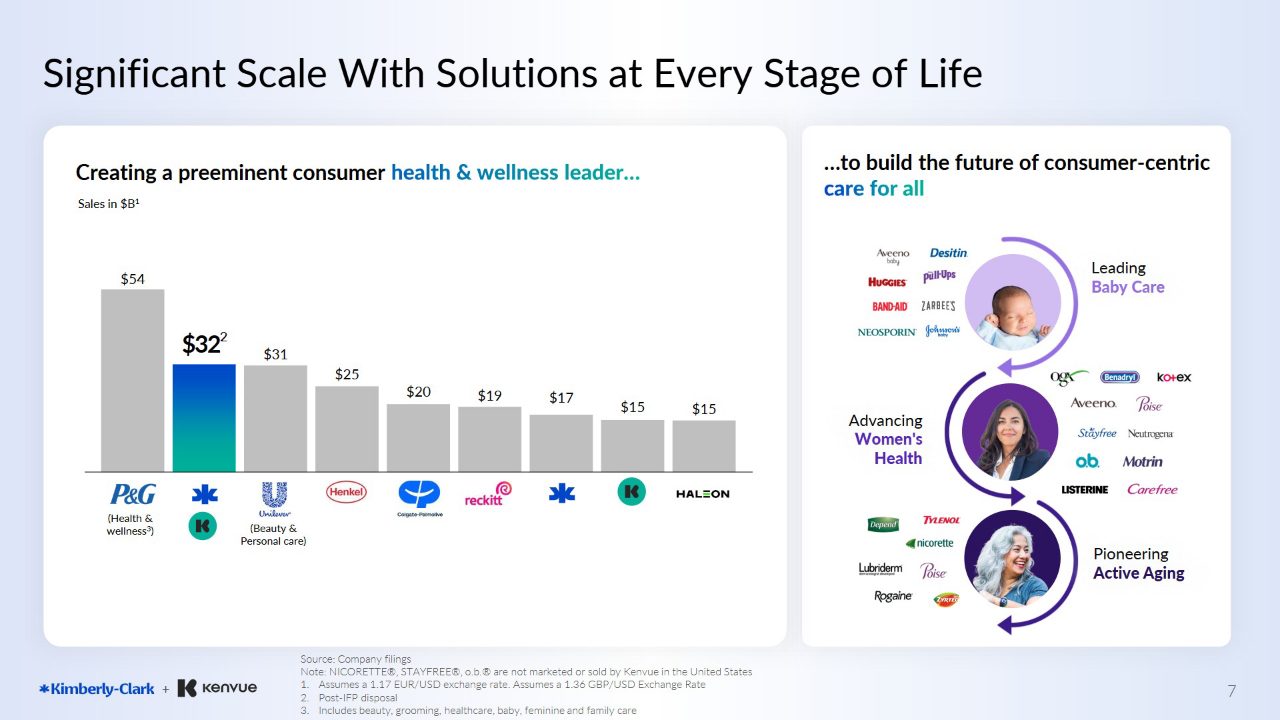 After
After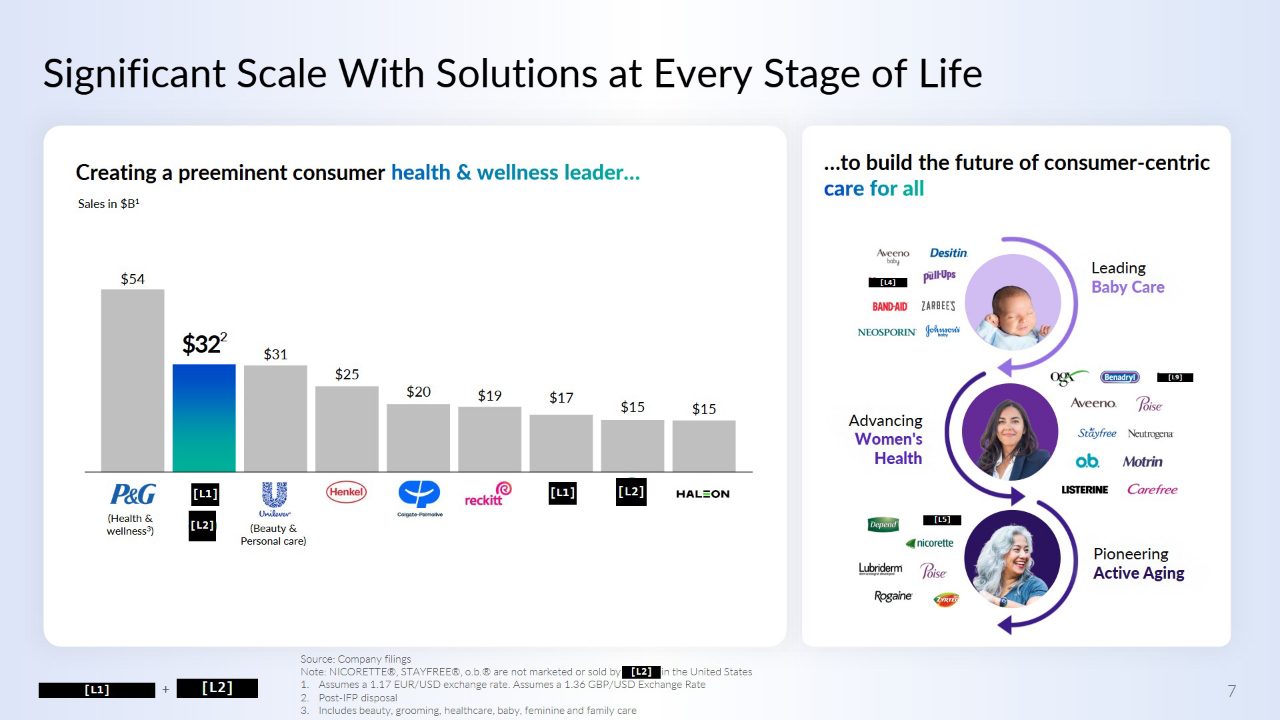
A file list is four hundred copies of the same word
Every line begins the same way: the company name, the subsidiary, the counterparty on a contract, the law firm in a folder of advice. Redacting that by hand is four hundred rectangles, and the one you miss is on the page nobody scrolled to.
It is also rarely a clean PDF. An index is usually exported from the room as a report, or screenshotted from the browser, which means the text is a picture and a search finds nothing at all.
One word, every line, every page
Type the name once. It is found in the text and in the lettering of a screenshot, on every page of the list, and counted before you commit – so you can see whether "Project Falcon" is on nine lines or nine hundred.
Turn labels on and each removed name becomes a consistent code. An index still works as an index: the reader can see that eleven files belong to the same entity without being told which entity it is.
The folder tree, which is a picture
A screenshot of the room’s own navigation has no text in it anywhere. It is read here, in the tab, so the names in it are found the same way as the names in the list – and the room’s logo in the corner of every screenshot is picked out once with a box and removed from all of them.
Check it against the room before you send it
An index is a promise about what is in the room, and a redacted index that no longer matches the folders is worse than none: the first thing anybody does is look for file 214 and find something else. Export it, open it, and read it as the recipient will – the line numbers, the dates and the counts should all still be there, because only the names were asked for.
Then test it the way a recipient might. Select across a bar and paste: nothing comes out, because the page was rebuilt rather than covered. Search the file for one of the names you removed. That is a two-minute check and it is worth doing on any tool, including this one.
Save a draft first. An index goes round more than once – the room grows, a party drops out, a new adviser is added – and a draft means the second version is a re-export rather than the whole job again.
How to do it, in four steps
- Open the index, the folder listing, or the screenshots of them.
- Type the names: the target, the sponsor, the counterparties, the advisers.
- Pick out the data room’s own logo or header if it appears on every page.
- Turn on labels if the list has to stay followable, then Redact and export.
Who it is for
Bankers preparing a staple or a vendor process, lawyers producing a privilege log, and anybody sending a contents page to a party who is not yet allowed to know whose contents they are.
Questions
Does the index get uploaded anywhere?
No. There is no server, and the browser is not permitted to send the file anywhere at all. It works with the network disconnected.
Will it find the name in a screenshot of the file tree?
Yes. Pages are read in the tab, so a name typed once is found in the lettering of a picture as well as in any real text.
Can I keep the structure but lose the names?
Yes. Turn on labels and each removed name carries a consistent code, so the shape of the index survives while the identities do not.
What about the filenames of the documents themselves?
Those are in the room rather than in this file. What this handles is the index, the listing and any screenshot of them – and the exported file can be renamed on the way out, since a filename is often the last place a name survives.
Also
- Redact a CIM without uploading it
- Redact logos in a pitch deck
- FOIA redaction without sending the records anywhere
- De-identify scanned records
- Your redacted text is still extractable. Here is why
- Redact a PDF before you paste it into ChatGPT or Claude
- Redact a board pack
- Redact CVs for blind screening
- Remove names and faces from photographs in a report
- Redact a bank statement
- How it works, in full
- What it costs, and what stays free
- Read the source on GitHub
- [email protected]