Redact a CIM or teaser without uploading it
A CIM goes out to twenty parties before anybody signs. Most of it is meant to go; the company name, the sponsor, the management team and the logos in the footer are not. Doing that with a tool that uploads the file first is a problem you have to explain to a client, and often cannot.
Open the tool Free below thirty pages, in your browser. Nothing is uploaded.
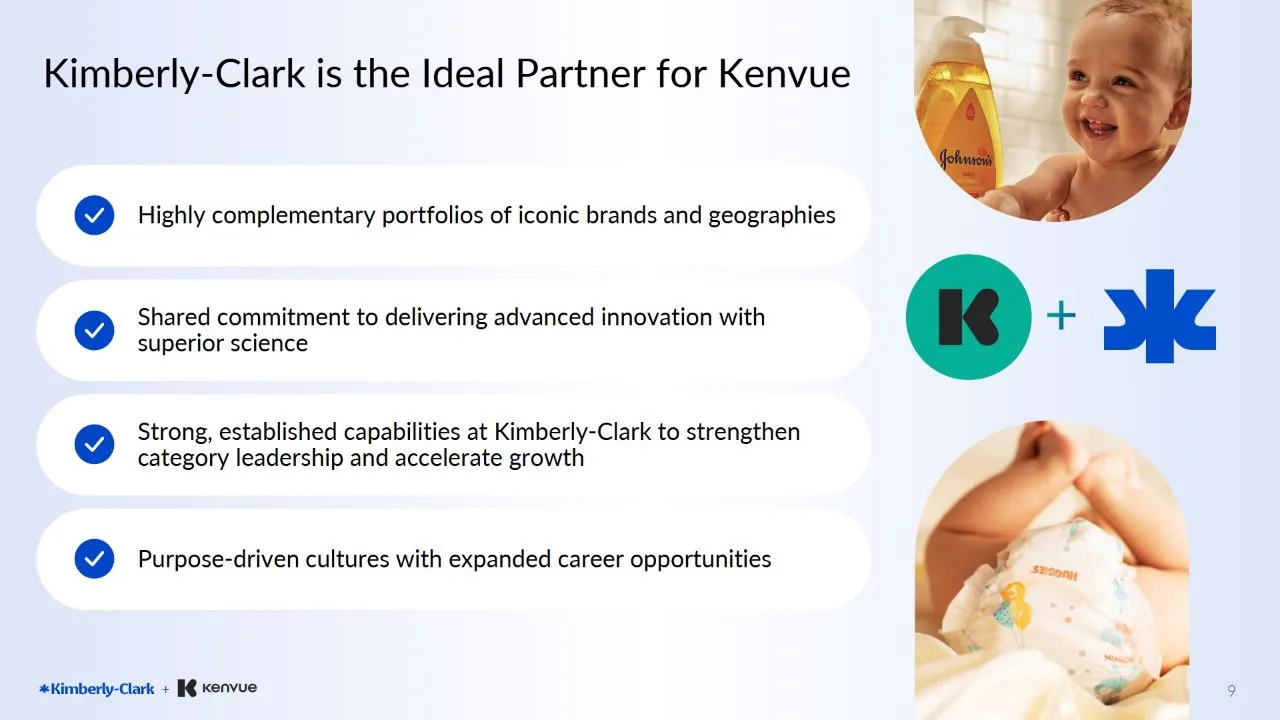 After
After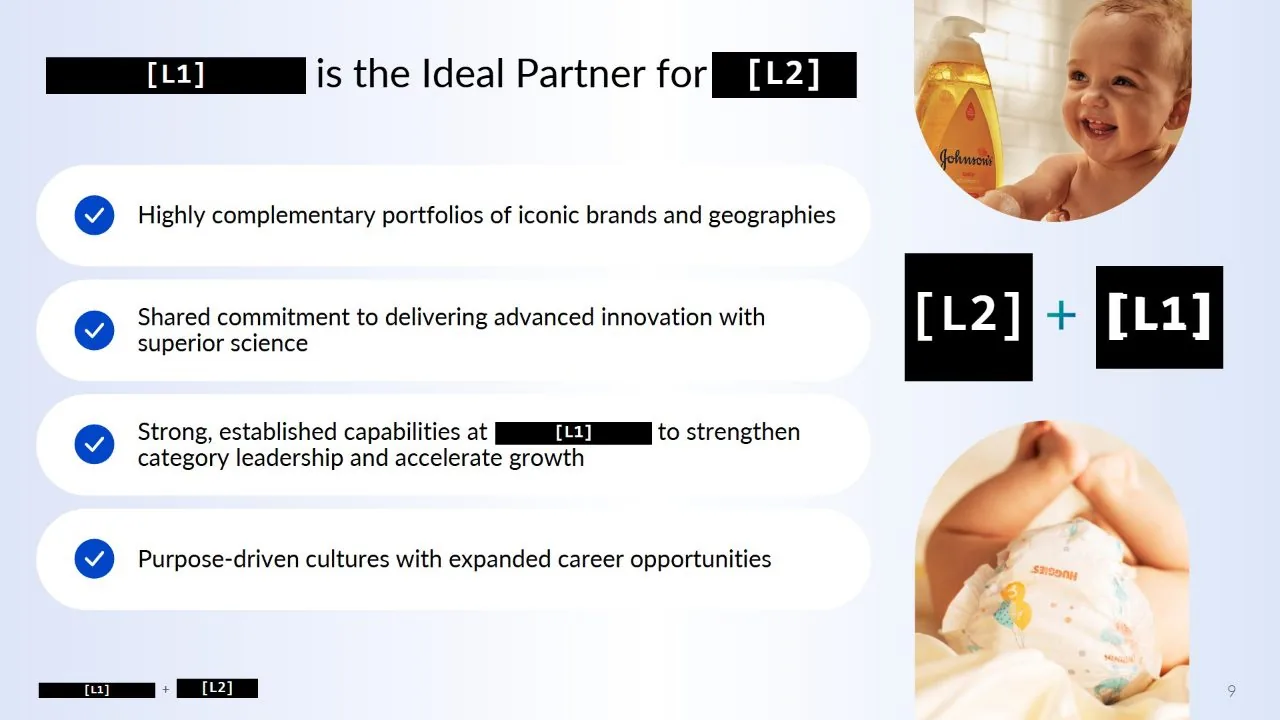
The part that makes this hard is not the text
Search-and-redact handles a name that is typed as text. A CIM is not mostly typed text. It is a deck: the company name is set in the master slide as part of an image, the sponsor logo is a PNG in the corner of every page, the management photographs carry names underneath them in a graphic, and the org chart is one flat picture of everything you are trying to remove.
Nothing in an ordinary search reaches any of that. Which is why the usual answer is an analyst with a rectangle tool and four hours, and why the usual failure is page 47.
What this does instead
Type the name once. It is found in the text, in the lettering of a screenshot, and inside a logo, on every page. Draw a box round the sponsor mark once and every other copy of it is found too, at whatever size it has been dropped in at and whatever colour it has been recast in for the dark slides.
The export is not the original file with rectangles laid over it. Each page is rebuilt from pixels, so the words under a bar are not in the file any more -- there is nothing left to select, copy or recover.
And it runs in the tab
There is no server to upload to. The whole thing -- opening the PDF, reading it, matching the logo, writing the new file -- happens on your own machine. Open your browser’s network panel and watch: nothing leaves. Pull the network cable out and it carries on working.
That is enforced rather than promised. The page carries a content security policy the browser applies whatever the code asks for, and the line that matters says the page may not send anything anywhere.
Making the no-name teaser
The teaser is the same job at its hardest: the first thing a buyer sees has to say what the business is without saying who it is, and the source is usually the company’s own deck, with its name in the headline, the footer, the product photographs and the org chart. Type the company and brand names, pick the logo once, and turn on labels: each name becomes a consistent placeholder, [T1] for the company and [T2] for the counterparty, so the teaser still reads as a story. Rename the file as you export it, because the file name is often the last place the name survives.
How to do it, in four steps
- Open the CIM. It is read in the tab; nothing is sent anywhere.
- Type the names: the company, the sponsor, the management, the adviser. Each one is counted before you commit to it, so you can see whether a name is on four pages or four hundred.
- Draw a box round each logo that has no text to search for. Every other copy in the document is found at any size.
- Press Redact, check the marks, and export. The pages are rebuilt, so what was covered is gone rather than hidden.
Who it is for
Bankers and advisers sending a teaser to a buyer list, sponsors preparing a data room, and anybody who has to hand a deal document to somebody who is not allowed to know whose it is.
Questions
Does the file get uploaded?
No. There is no server to upload it to, and the page is not permitted by the browser to send anything anywhere. You can confirm both in the network panel, or by disconnecting.
Will it find the name inside a logo?
Yes. Words are searched for three ways: in the text layer, in the lettering of pictures and scans, and by shape where the reading was defeated by an unusual typeface. A picked logo is matched by shape at any size or colour.
Can the redacted text be recovered from the exported file?
No. Each page is rebuilt from pixels rather than covered with a rectangle, so the removed words are not in the file to recover. That is the difference between this and a black box drawn in a PDF editor.
How long does a 200-page CIM take?
The text search over a deck of that size is a few minutes, and it reports its progress along the foot while you read the document. The image & text-in-image search, which looks for picked images and for words that exist only as pictures, follows it, and the whole wait is stated before it starts so you can decide.
Also
- How to redact a PDF properly
- Redact an image, photo or screenshot
- Redact a PDF on a Mac
- AI redaction without uploading your document
- FOIA redaction without sending the records anywhere
- De-identify scanned records
- Your redacted text is still extractable. Here is why
- Redact a PDF before you paste it into ChatGPT or Claude
- Redact a board pack
- Redact CVs for blind screening
- Remove names and faces from photographs in a report
- Redact a bank statement
- Remove a logo from every page of a PDF
- Redact a PDF without Adobe Acrobat Pro
- iLovePDF vs Smallpdf vs PDFgear vs Blinded for redaction
- Remove a letterhead or stamp from every page
- Redact images in a PDF or PowerPoint deck
- Redact scanned documents automatically